

Canary UX Audit: A Long Onboarding Before Any Value
This is a short, self-directed teardown of Canary — a publicly available product we picked ourselves, not a commissioned client audit.
Canary is a mobile language-learning app that teaches vocabulary through songs and real conversations, with lesson tracking and vocabulary review.
Onix approached this teardown as a “Growth UX Audit,” anchored to a line the report itself used to frame the problem: “Canary has a strong learning proposition — but the path to experiencing it is longer than it needs to be.” The five findings below appear in the order the report presented them.
Problem 01
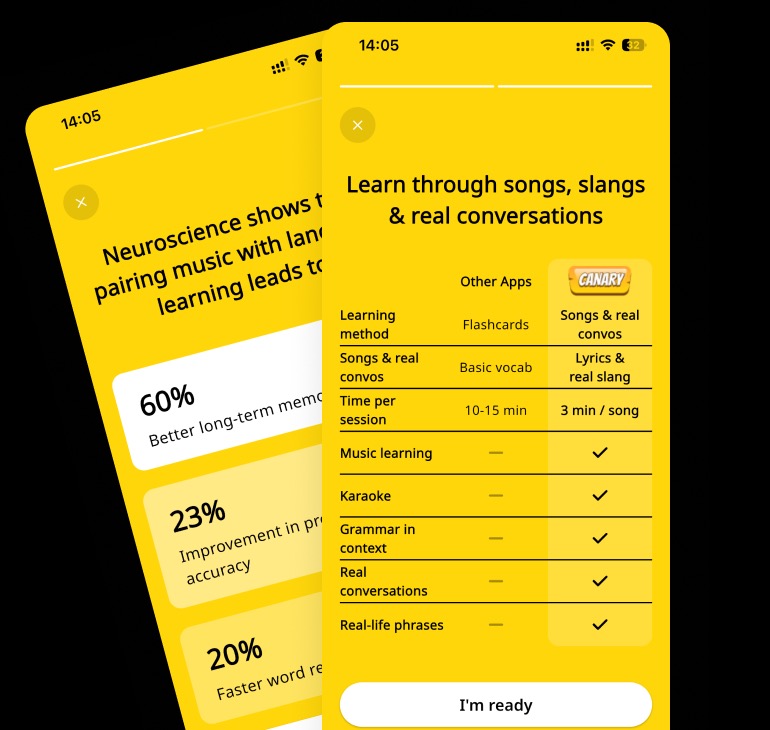
Canary asks users to consume marketing content before committing to the product.
Why it matters
At this stage, the user has not yet experienced Canary. The risk is that the onboarding feels more like a marketing presentation than the beginning of a learning experience.
Improvement
Keep one value proposition screen, but reduce the marketing sequence and move the deeper benefits after registration / into the first learning experience.
Business impact
- Faster “aha” moment
- Potentially higher activation and onboarding completion
Problem 02
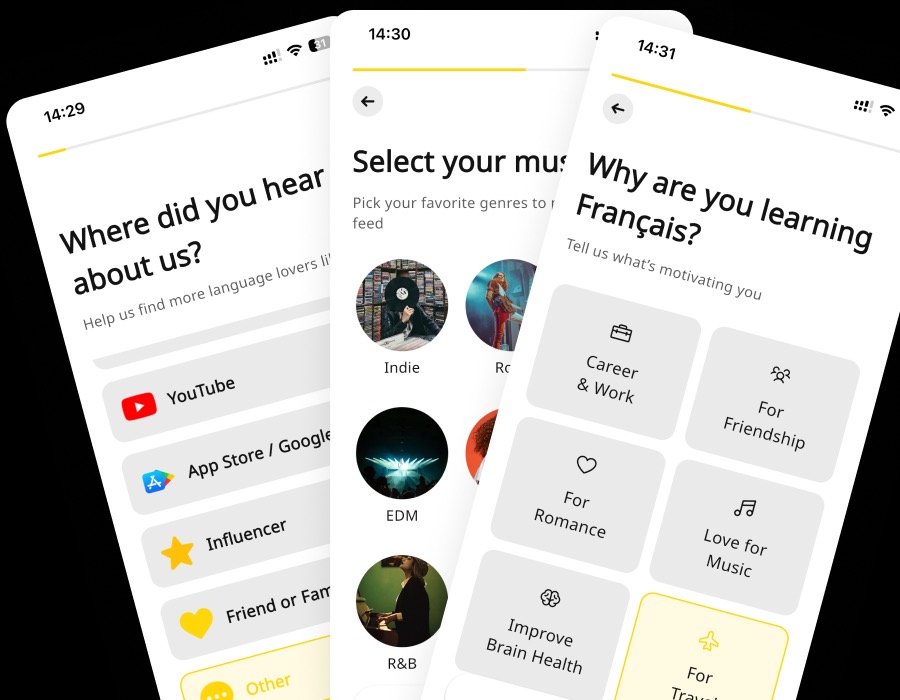
The onboarding asks users to complete several personalization steps — source, music preferences and learning motivation — before they experience the core Canary experience.
Why it matters
The user is asked to invest time and provide information before understanding why Canary is different from other language-learning apps.
Improvement
Reduce onboarding to the minimum required to start learning.
Business impact
- Lower onboarding drop-off
- Faster activation
- Shorter time-to-value
- More users reaching the core product experience
Problem 03
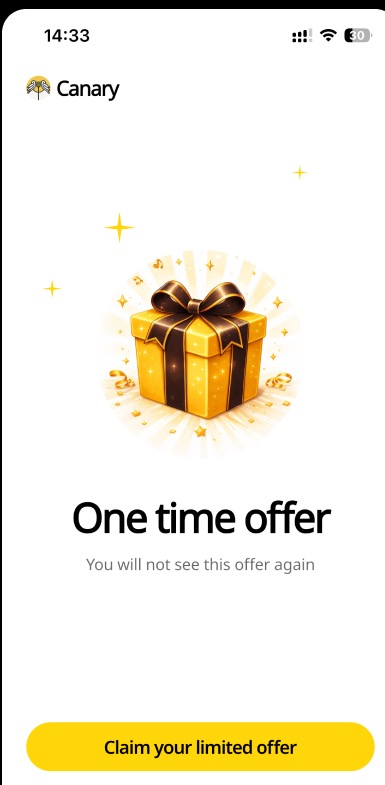
The product presents a “One time offer” and upgrade messaging relatively early, before the user has experienced enough of the core learning loop.
Why it matters
The user is being asked to make a commercial decision before they have a strong personal reason to pay.
Improvement
Rather than showing the offer during the onboarding flow, show it after a meaningful value moment: first song completed or when the user sees progress/result.
Business impact
- Stronger perceived value at the paywall
- Potentially higher trial-to-paid conversion
Problem 04
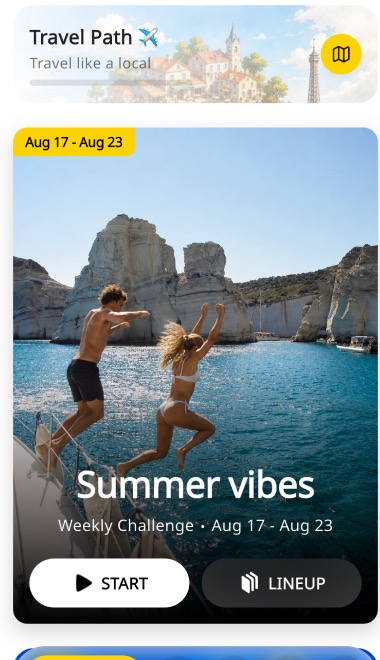
The Home screen contains several competing entry points: Travel Path, Weekly Challenge, Start, Lineup and other content.
Why it matters
A returning user should immediately understand: “What should I do now?”.
Improvement
Introduce a dominant Continue Learning action.
Business impact
- More repeat learning sessions
- Higher engagement
- Stronger retention through habit formation
Problem 05
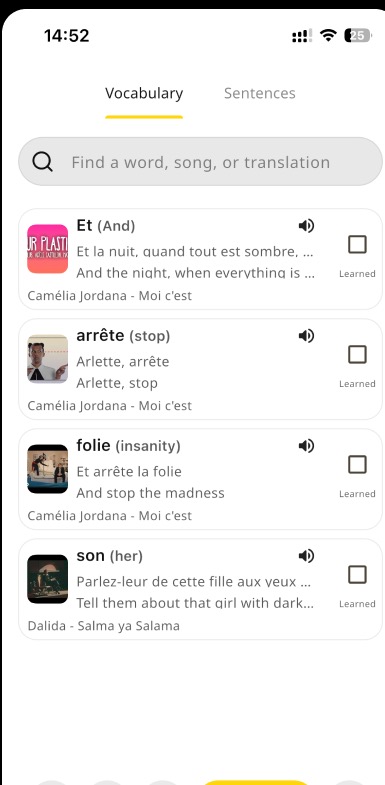
The vocabulary feature makes it easy to save and understand words, but the next learning action is unclear.
Why it matters
Saving a word creates an intention to learn, but intention alone does not create retention.
Improvement
Turn saved vocabulary into a lightweight recurring practice loop. Review → Recall → Use → Master.
Business impact
- More meaningful repeat sessions
- Increased retention without introducing a completely new feature
- Stronger reason to return
Executive summary
Canary has a strong learning proposition — but the path to experiencing it is longer than it needs to be.
Key opportunities
- Bring value forward — Reduce marketing and personalization before the user starts learning.
- Earn the monetization moment — Let users experience meaningful value before asking them to upgrade.
- Make the next action obvious — Turn Home into a clear starting point for returning users.
- Build a reason to return — Connect saved vocabulary and progress into recurring learning loops.
Want this for your own product?
This is a short, self-directed teardown of a publicly available product. We picked Canary ourselves to review — we weren't hired to audit it, and it isn't a client of ours. A commissioned UX audit goes further: it's scoped to your product's own goals and flows, not just what's visible to an outside visitor.
Want the same kind of review for your own product? See our mobile app UX audit page for what's included, or browse more examples to see other teardowns.