

Fastlane UX Audit: Bugs and Brand Drift Undercut a Strong Idea
This is a short, self-directed teardown of Fastlane — a publicly available product we picked ourselves, not a commissioned client audit.
Fastlane (app.usefastlane.ai) is an AI-generated virtual/UGC-influencer content tool: it
generates AI personas, then schedules and automates posts built around them, with paid tiers
running up to $49/month. It’s used from a phone browser rather than a native app — every
screenshot below is Chrome on Android.
Onix’s brief for this teardown was a “Growth & Usability UX Audit,” keyed to a single line from the report itself: “Fixing the gaps between a strong idea and a trustworthy product.” The five findings below appear in the order the report presented them.
Problem 01
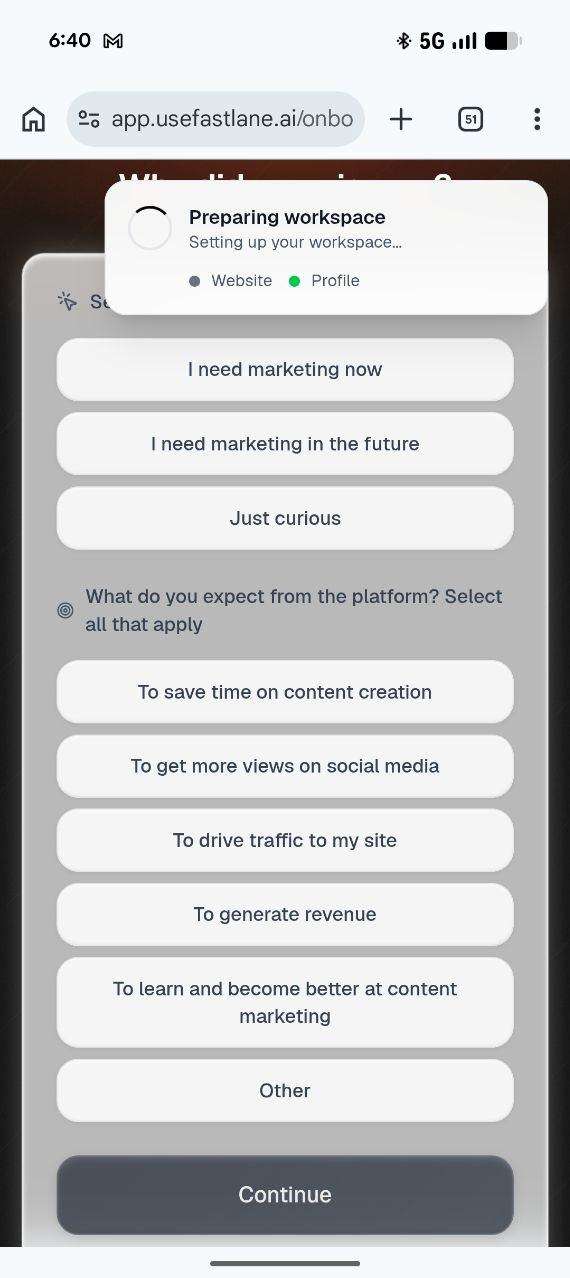
A “Preparing workspace” loading modal fires mid-flow and visually overlaps the active question behind it, and two distinct onboarding questions are stacked on one screen with no separation between them.
Why it matters
This is the user’s very first interaction with the product. A bug here signals unfinished software before any value has been delivered, and undifferentiated questions increase cognitive load exactly when the user is deciding whether to continue.
Improvement
Sequence loading states to trigger only after user input is submitted, not during it. Visually separate distinct onboarding questions with clear step breaks and labels.
Business impact
- Lower first-session abandonment
- Clearer sense of progress
- Higher-quality first impression during the free trial window
Problem 02
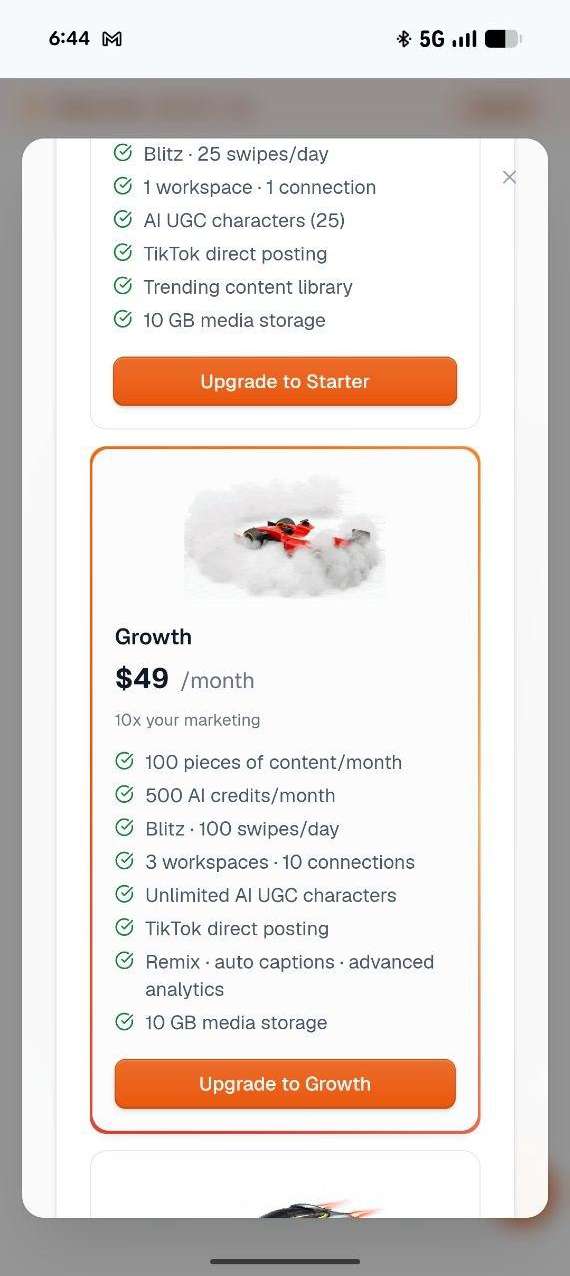
Brand identity disappears at the exact moment trust is being built. Every primary action elsewhere in the app uses Fastlane’s orange, but the main onboarding “Continue” button is navy.
Why it matters
Inconsistent branding at the first commitment point makes the product feel unfinished or unowned, undermining the polish a paid content tool needs to project.
Improvement
Apply a single, enforced color system to every primary CTA across the product, starting with onboarding.
Business impact
- Stronger brand recall from session one
- More cohesive, premium first impression
- Reduces the “is this legit?” hesitation that costs trial signups
Problem 03
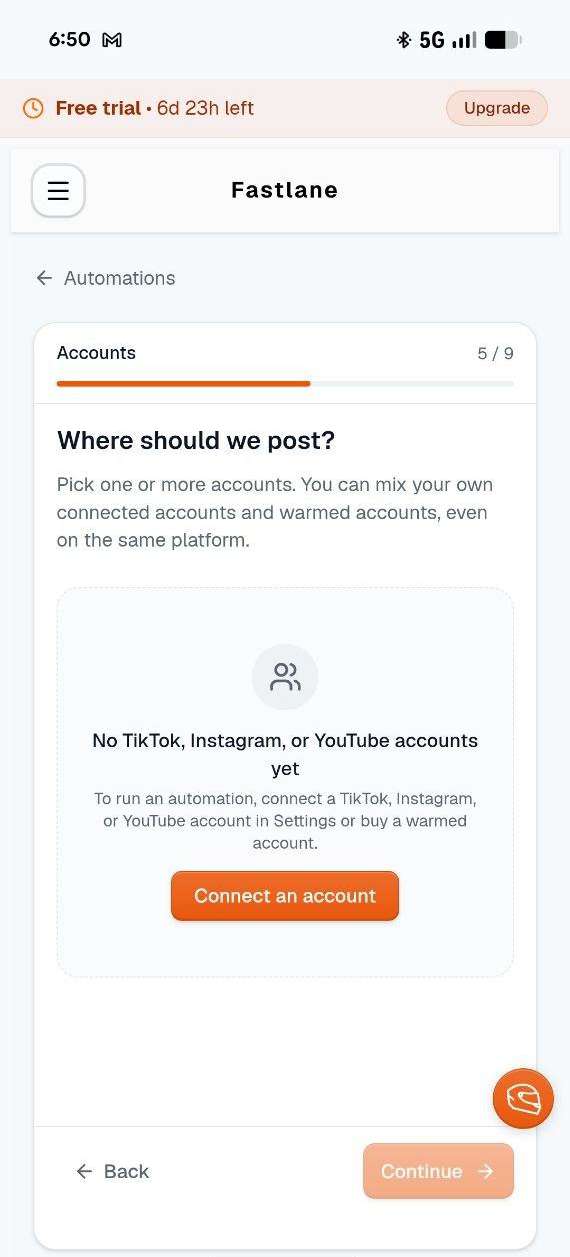
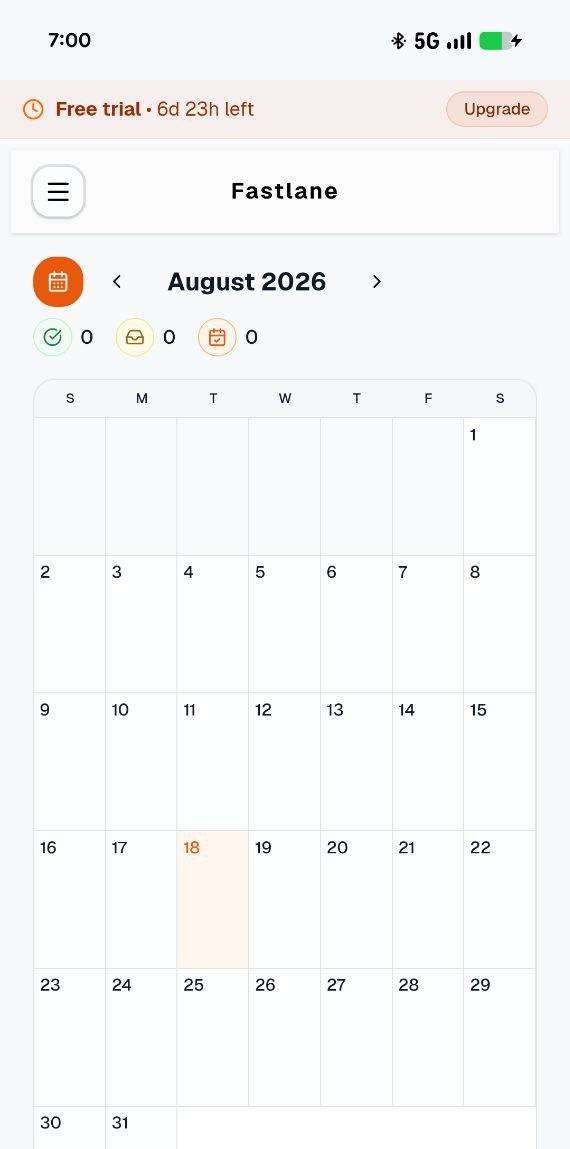
Features function as isolated modules rather than one connected product. There’s no way to schedule a post directly from the Calendar view, and the account-integration requirement isn’t surfaced until a user is already mid-setup inside Automation creation.
Why it matters
Users build a mental model of “how this app works” from how its screens connect. When related features don’t route to each other, users hit invisible dead ends and quietly abandon the task rather than looking for a workaround.
Improvement
Add contextual cross-navigation between related features (e.g., “Schedule” action inside Calendar), and surface required dependencies — like account connection — before or at the start of the step that needs them, not mid-task.
Business impact
- Shorter time-to-value for new users
- Fewer silent, unexplained drop-offs
- Product feels like one system, increasing perceived reliability
Problem 04
Core actions are cut off on real devices, and related features don’t connect to each other. No way to schedule from Calendar, and integration setup isn’t surfaced during automation creation.
Why it matters
Users can’t complete tasks they can’t reach, and they abandon flows when the product doesn’t guide them to what’s needed next. Both are silent, unmeasured drop-off points.
Improvement
Run responsive QA on every primary CTA, and add contextual links between related features (e.g., “Schedule” in Calendar, surfaced integrations at setup).
Business impact
- Protects conversion at commitment points
- Shorter time-to-value for new users
- Product feels like one connected system
Problem 05
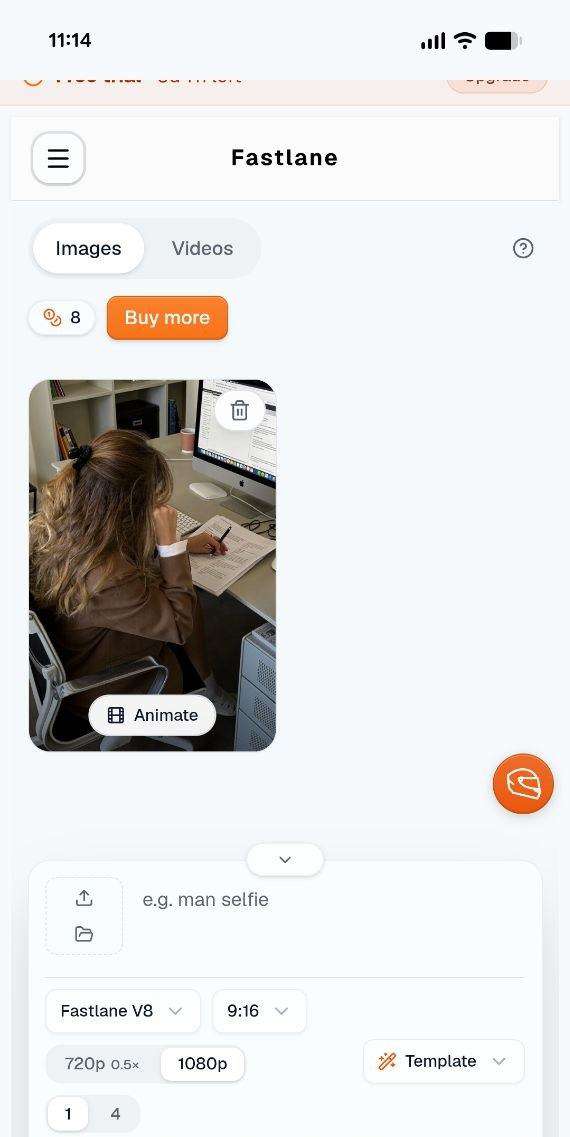
Instructional text is small, low-contrast, and flat in hierarchy throughout, labels, headings, and body copy barely differ.
Why it matters
Without hierarchy, users skip instructions and the product feels harder to learn than it is.
Improvement
Establish a real type scale (size, weight, contrast) as part of a lightweight design system.
Business impact
- Faster onboarding comprehension
- Better accessibility
- More professional polish, low cost to fix
Executive summary
Fastlane has a genuinely strong core idea, AI-generated influencers with automated, scheduled content, but the path to experiencing that value is undermined by unresolved bugs, inconsistent branding, and disconnected features.
Key opportunities
- Fix trust-breaking bugs — Onboarding modal overlap and clipped CTAs are costing conversions silently.
- Unify the brand — One consistent color system across every primary action.
- Connect the product — Link Calendar, Automations, and Integrations so features feel like one system.
- Raise the polish — Establish a real type hierarchy so instructions are easy to read and learn.
Want this for your own product?
This is a short, self-directed teardown of a publicly available product. We picked Fastlane ourselves to review — we weren't hired to audit it, and it isn't a client of ours. A commissioned UX audit goes further: it's scoped to your product's own goals and flows, not just what's visible to an outside visitor.
Want the same kind of review for your own product? See our website UX audit page for what's included, or browse more examples to see other teardowns.