

Kaizen UX Audit: Generic Visuals and a Hard Integration Wall
This is a short, self-directed teardown of Kaizen — a publicly available product we picked ourselves, not a commissioned client audit.
Kaizen (runkaizen.com) is a mobile running-companion app: onboarding asks new users about their
motivation, then syncs training data from a connected wearable like Strava or Garmin.
Onix’s own scope note calls this a “Brand, Trust & Completion UX Audit,” pegged to one line straight from the report: “Turning a Solid Onboarding Concept into a Finished Product Experience.” Two findings follow below, in the report’s own order.
Problem 01
The visual identity doesn’t communicate a running or performance product. Icons are abstract and generic, the same static mountain gradient repeats across every onboarding screen, and there is no motion, photography, or sport-specific imagery anywhere in the flow.
Why it matters
For a fitness product, emotional resonance drives conversion as much as functionality. Users need to feel the energy of the sport before they commit to training with the app.

Improvement
Introduce running-specific iconography and dynamic imagery — real movement, athletes, pace/terrain cues, in place of the generic, repeated gradient background.
Business impact
- Stronger emotional connection at the moment users decide to commit
- Clear differentiation from generic wellness apps in a crowded fitness category
- Higher onboarding-to-first-run conversion
Problem 02
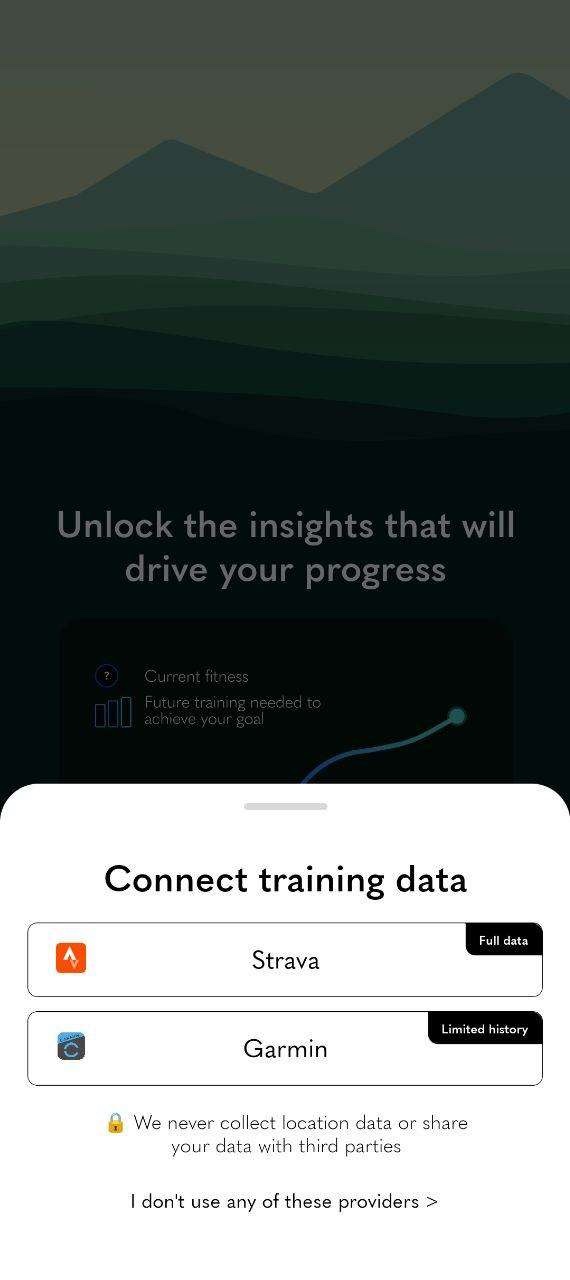
Full functionality is gated behind a mandatory third-party integration — Strava or Garmin. Users without either are redirected out of the app entirely to a separate external form on a different domain, with a visual design and quality noticeably below the app’s own.
Why it matters
This is a hard drop-off cliff, not a graceful fallback. It occurs after the user has completed onboarding and is fully invested, the worst possible point to lose them.
Improvement
Offer an in-app manual data-entry path or limited mode for users without a connected wearable. If an external step is still required, bring its contrast up to WCAG standards and clearly communicate why the user can’t access the app yet and when that will change.
Business impact
- Recovers users who currently abandon at this exact step
- Reduces confusion and improves accessibility on the fallback path
- Builds trust through transparency instead of an unexplained dead end
Executive summary
Kaizen’s onboarding concept is genuinely well-structured. But the current execution reads as a product still in development rather than a finished running companion: the visual identity doesn’t reinforce the sport, a mandatory integration creates a hard drop-off into an inconsistent external experience, and the flow ends without closure.
Key opportunities
- Reinforce sport identity — Replace generic wellness visuals with imagery and icons that feel like running.
- Fix contrast for real conditions — Design and test legibility for outdoor, in-motion use, not just indoor screens.
- Remove the drop-off cliff — Give non-integrated users a graceful, on-brand path forward instead of an external redirect.
- Close the loop — Replace the dead-end “Thank you” with a branded next-step screen and a clear timeline.
Want this for your own product?
This is a short, self-directed teardown of a publicly available product. We picked Kaizen ourselves to review — we weren't hired to audit it, and it isn't a client of ours. A commissioned UX audit goes further: it's scoped to your product's own goals and flows, not just what's visible to an outside visitor.
Want the same kind of review for your own product? See our mobile app UX audit page for what's included, or browse more examples to see other teardowns.