

Lunair UX Audit: Speed Promises the Product Can't Keep
This is a short, self-directed teardown of Lunair — a publicly available product we picked ourselves, not a commissioned client audit.
Lunair is a web AI tool that turns a text prompt into a structured explainer video, walking through script, storyboard and animation stages before assembling the final result.
Onix framed this teardown as a “Growth UX Audit,” taking its lead from a line in the report itself: “The core product is powerful, but the journey creates too much uncertainty.” Four findings follow below, in the sequence the report presented them.
Problem 01
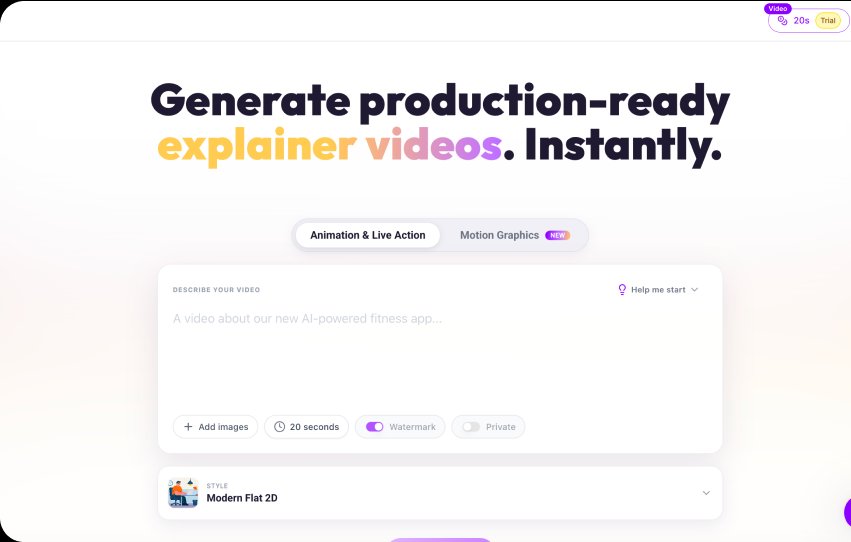
The public product positioning emphasizes speed: “Generate … instantly”, storyboard “in seconds”, “one-click animation”, video “ready to share”. And in reality, the process takes considerably longer than the estimated times shown.
Why it matters
This creates an expectation gap. The user isn’t necessarily frustrated because AI generation takes time. They become frustrated when the system tells them it should be quick — and it isn’t.
Improvement
Don’t communicate generation speed through optimistic static estimates. Set realistic expectations + communicate progress continuously.
Business impact
- Less abandonment during first generation.
- A successful first experience creates a stronger reason to return.
Problem 02
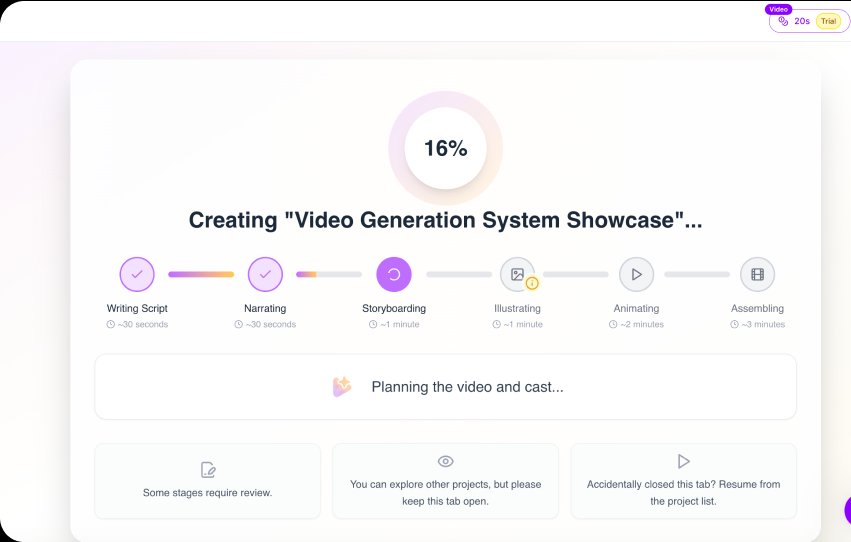
The flow introduces several intermediate checkpoints. The user can be asked to review and approve multiple stages. This gives users control — but it also creates a lot of decision points before they reach the actual outcome.
Why it matters
Every additional review gate increases the number of opportunities to stop, get distracted or become confused. This is particularly risky during first-time use.
Improvement
AI automatically moves through the pipeline: Generate → Preview → Edit if needed. The default first-time experience should be Fast generation.
Business impact
- Reduce time-to-value
- Increase first-video completion
- Improve activation
Problem 03
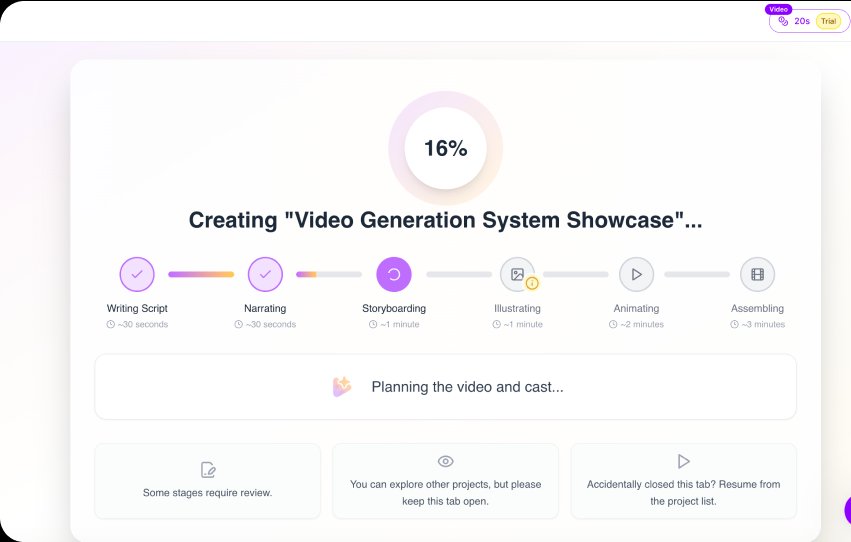
The UI shows short estimated times for individual generation stages, while the actual generation process can take considerably longer. This creates a gap between expected and perceived performance.
Improvement
Set realistic time ranges based on actual generation performance and communicate progress through meaningful milestones rather than optimistic estimates alone.
Business impact
- Higher trust
- Lower abandonment
- Better first-video completion
Problem 04
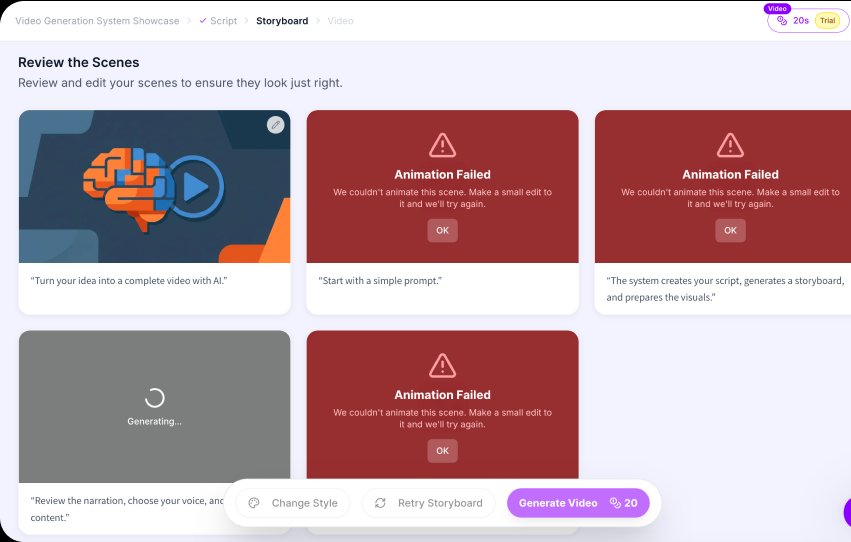
When animation fails, the user sees “Animation Failed” but receives limited guidance about what caused the problem or what they should change. Multiple failed scenes can make the entire project feel broken.
Improvement
Make failures actionable. For example: Animation couldn’t be generated. Try simplifying this scene or removing the highlighted element. And add CTA as “Retry Scene”, “Edit Scene”.
Business impact
- Higher recovery rate
- Fewer abandoned projects
- Greater trust in the AI product.
Executive summary
The core product is powerful, but the journey creates too much uncertainty. Lunair has a strong underlying concept: turn a simple prompt into a structured, production-ready video. However, after registration, the experience becomes much more complex:
Key opportunities
- Focus on trust — Make AI generation more predictable, transparent, and reliable.
- Focus on time-to-value — Reduce the time and effort required to experience Lunair’s core value.
- Focus on the overall experience — Create a smoother path from idea → creation → finished video → next project.
- Focus on business growth — Turn the first successful video into a stronger activation and conversion moment.
Want this for your own product?
This is a short, self-directed teardown of a publicly available product. We picked Lunair ourselves to review — we weren't hired to audit it, and it isn't a client of ours. A commissioned UX audit goes further: it's scoped to your product's own goals and flows, not just what's visible to an outside visitor.
Want the same kind of review for your own product? See our website UX audit page for what's included, or browse more examples to see other teardowns.